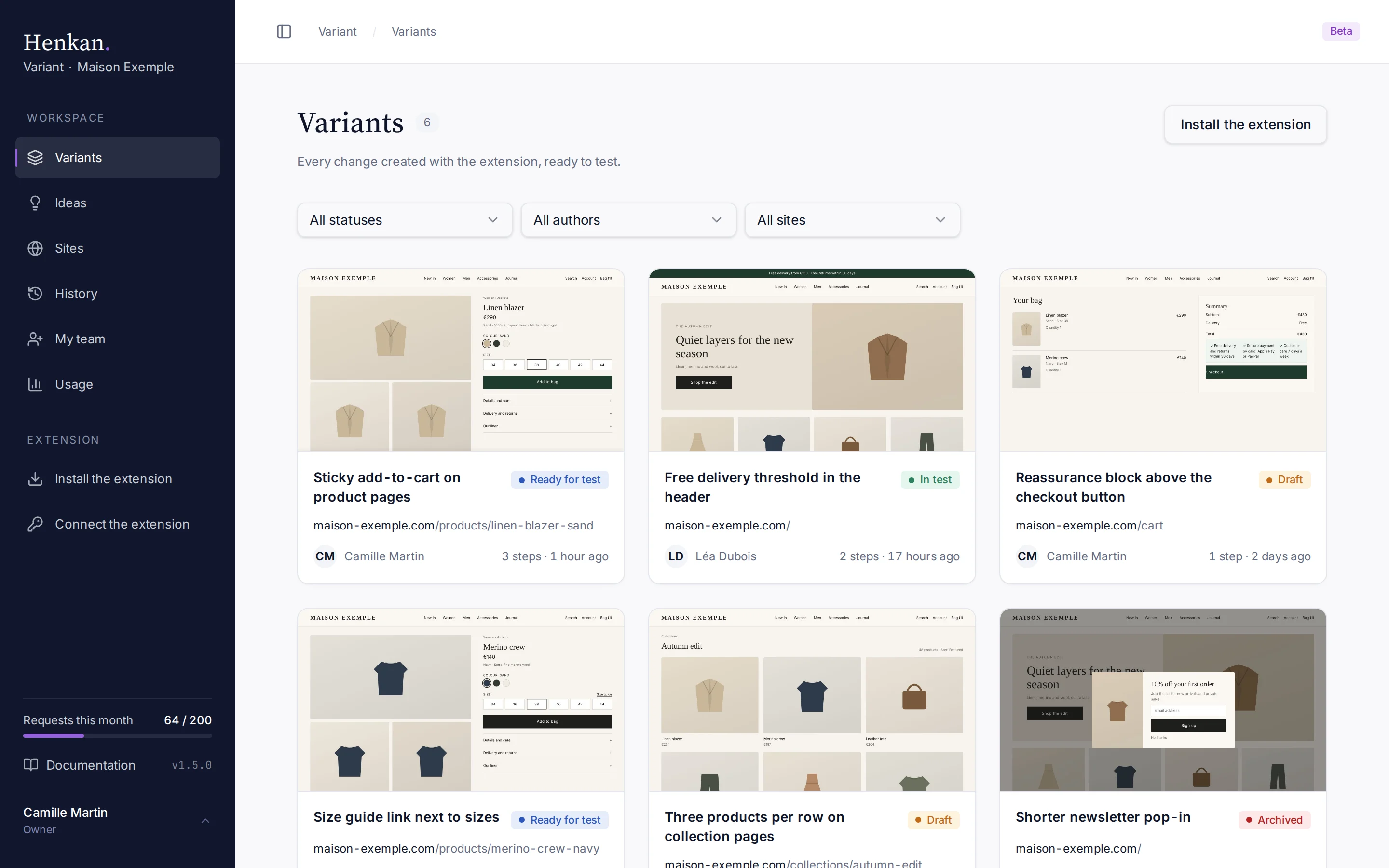
Variants is the home page of the web app: every change you make with the extension lands here, ready to be tested. It appears automatically once the extension has synced it.
1
Filters. Narrow the list by status, author and site.
2
Status. Where the variant stands: Draft, Ready for test, In test or Archived.
3
Monthly quota. Requests used this month, out of your workspace's quota.
4
Install the extension. Opens the installation guide.
What each card shows#
| Element | Meaning |
|---|---|
| Image | The page after the change, from the latest sync. |
| Name | The variant's name. Rename it on its details page. |
| Status | Draft, Ready for test, In test or Archived. |
| Page | The site and path the variant was made on. |
| Author | Who created the variant. The Henkan team's variants show Henkan team. |
| Steps and date | How many steps the variant has, and when it was last updated. |
Select a card to open the variant details. Only variants with at least one step are listed.
Filter the list#
| Filter | Options |
|---|---|
| Status | All statuses, Draft, Ready for test, In test, Archived |
| Author | All authors, or one member of the workspace |
| Site | All sites, or one of the domains your variants were made on |
Filters combine. When nothing matches, select Reset filters to show everything again.
Statuses#
| Status | Use it when |
|---|---|
| Draft | The variant is still being worked on. |
| Ready for test | The variant is done and can be set up in your testing tool. |
| In test | The test is live in your testing tool. |
| Archived | The variant is no longer used. |
Statuses are a shared convention for your team: changing one does not start or stop anything in your testing tool. Change it from the variant's details page.
Workspaces#
The list shows the variants of the workspace selected at the top of the sidebar. If you belong to several workspaces, choose All workspaces to see them together.