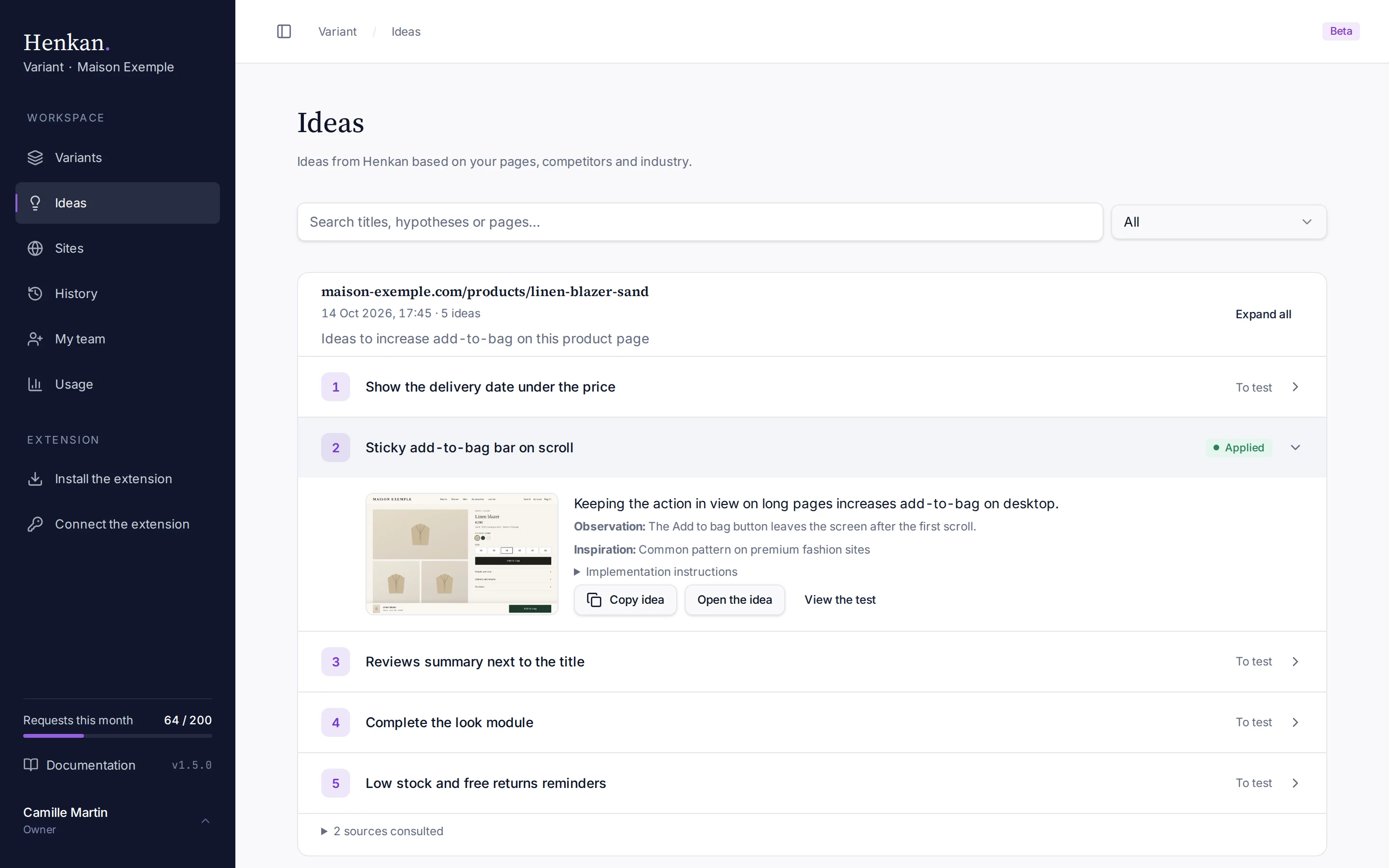
The Ideas page keeps every idea series made with the extension's Ideas mode. Each series is a card for its page, with the date, the request and one line per idea.
Select a line to open the idea, or Expand all to open every idea of the series.
1
Search. Find ideas by title, hypothesis or page.
2
Status filter. Show all ideas, only those To test, or only Applied ones.
3
Applied. This idea became a variant: open it and select View the test.
4
Enlarge. Opens the visual full size.
Read an idea#
Each line shows the idea's number in its series, its title, and Applied or To test (whether it has become a variant). An open idea shows:
| Element | Meaning |
|---|---|
| Visual | The page with the idea applied. Select it to enlarge it. |
| Hypothesis | Why the change should work. |
| Observation: | What Variant noticed on the page. |
| Inspiration: | Where the idea comes from, linked to the source when there is one. |
| Implementation instructions | Expand to read the detailed change. |
At the bottom of the card, N sources consulted lists the web pages Variant used for the series, with its context.
The idea's page#
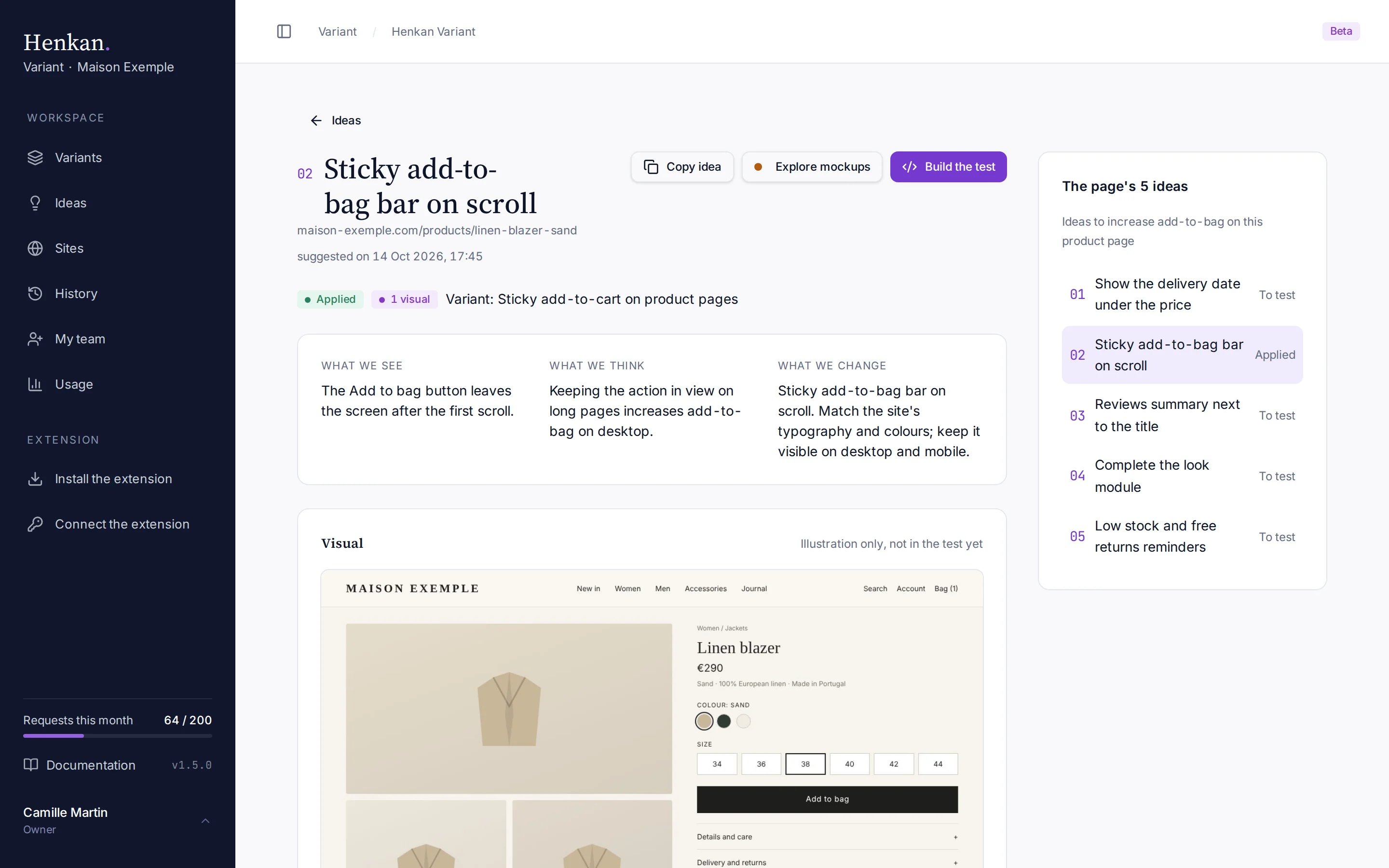
In an open idea, Open the idea shows it on its own page.
| Section | What it shows |
|---|---|
| What we see, What we think, What we change | The observation, the hypothesis and the change. |
| Visual | The illustration of the idea, not in the test yet. Select it to enlarge it. |
| Why we believe in it | The inspiration, the series' context and the sources consulted. |
| The page's ideas | The other ideas of the series, to go from one to the next. |
1
Explore mockups and Build the test. Open the Studio on this idea's page.
2
What we see, think and change. The observation, the hypothesis and the change.
3
The page's ideas. The other ideas of the series, with this one highlighted.
At the top, Copy idea copies it. Once the variant has its After capture, Explore mockups opens the Studio's Explore side (the idea as images) and Build the test its Build side (code on the real page).
Find ideas#
| Control | What it does |
|---|---|
| Search | Matches idea titles, hypotheses and page addresses. |
| Workspace filter | Shown when you belong to several workspaces. |
| Status filter | All, To test or Applied. |
| All series | Appears when you arrived from a link to one series. Shows every series again. |
Use an idea#
- Copy it Select Copy idea to paste it into a ticket, a brief or your test roadmap.
- Or build it Apply the idea from the extension. It is then marked Applied, View the test opens the variant, and the variant lists it under Ideas behind this test.