Each variant exports as one JavaScript snippet that holds all its steps, styles and scripts included. Paste it as is into the variation JavaScript of Kameleoon, AB Tasty, Optimizely, VWO or any tool that accepts custom code.
Where to get the code#
| From | How |
|---|---|
| The extension | Use Export the test in the side panel and copy the final code. |
| A variant's header, in the web app | Copy code copies the snippet. Download .js saves it as a file named after the variant. |
| The Code tab, in the web app | Shows the full Variant code, and the CSS and JavaScript of each step under Step code. |
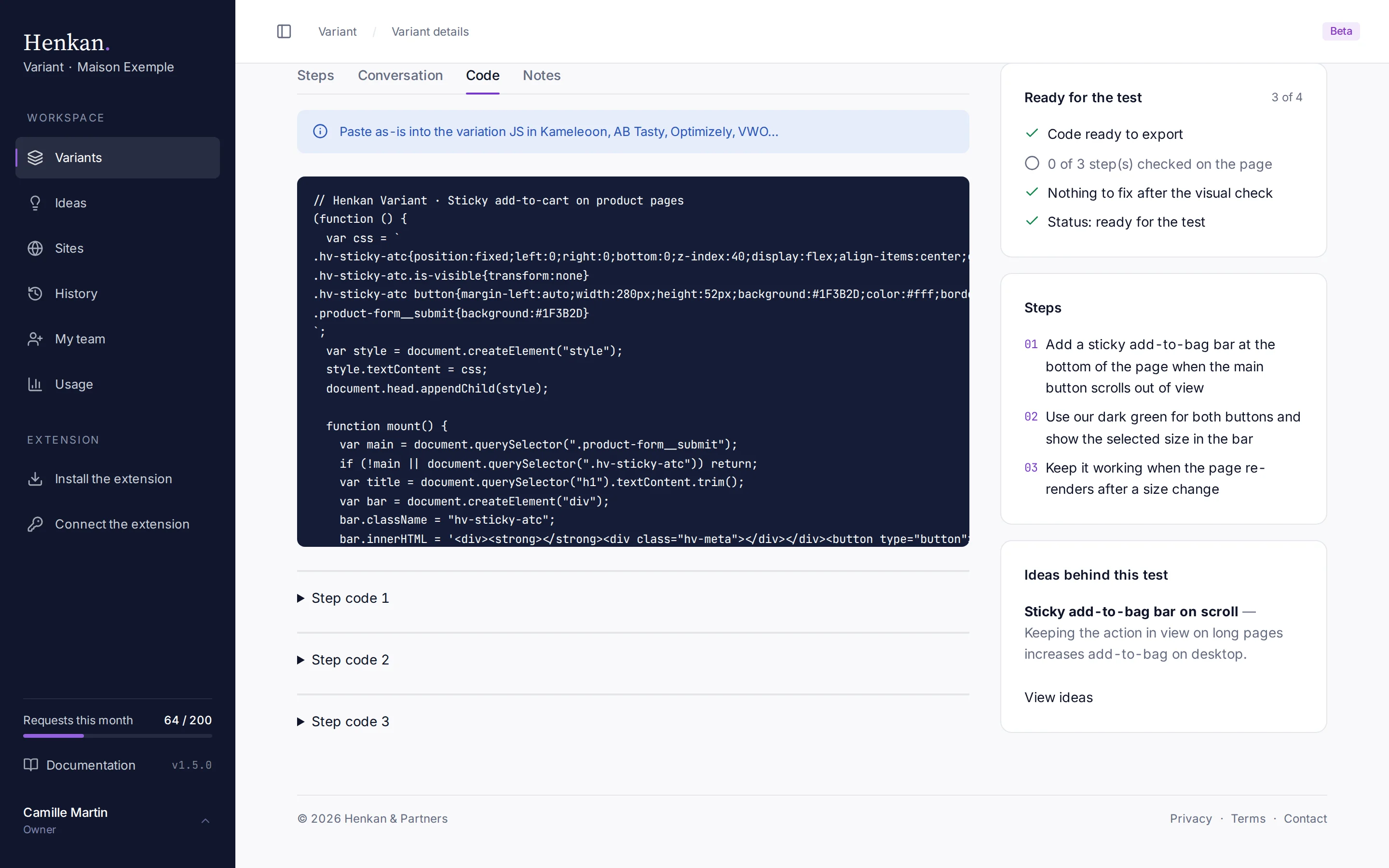
1
Paste as-is. The snippet goes into the variation JavaScript of your testing tool.
2
Variant code. The complete snippet, with a copy button.
3
Step code. The CSS and JavaScript of each step, for reference.
Paste it into your testing tool#
- Copy the code In the web app, open the variant and select Copy code, or Download .js to keep a file.
- Create the variation In your testing tool, create the experiment and its variation on the same page.
- Paste it as is Paste the snippet into the variation's JavaScript (custom code) field. No changes are needed.
- Preview and check Preview the variation on desktop and mobile, on every page it targets, then start the test.
- Update the status Set the variant to In test in the web app, so your team knows it is live. See Variant details.
What the snippet looks like#
A snippet adds its styles to the page and builds the change. When needed, it also watches the page and applies the change again if the page is redrawn.
// Henkan Variant · Sticky add-to-cart on product pages
(function () {
  var css = `
.hv-sticky-atc{position:fixed;left:0;right:0;bottom:0;z-index:40}
`;
  var style = document.createElement("style");
  style.textContent = css;
  document.head.appendChild(style);
  // … builds the bar and keeps it in sync with the page
})();
When the code is not available#
Until the extension has synced the variant's first step, Copy code and Download .js are disabled and the Code tab shows Code not yet available. Check that the extension is connected with a personal token. See Connect the extension.