Each workspace has two monthly quotas, one for requests and one for images, shared by everyone in it. A new company workspace starts with the standard quotas, which Henkan can raise.
The Usage page shows where you stand.
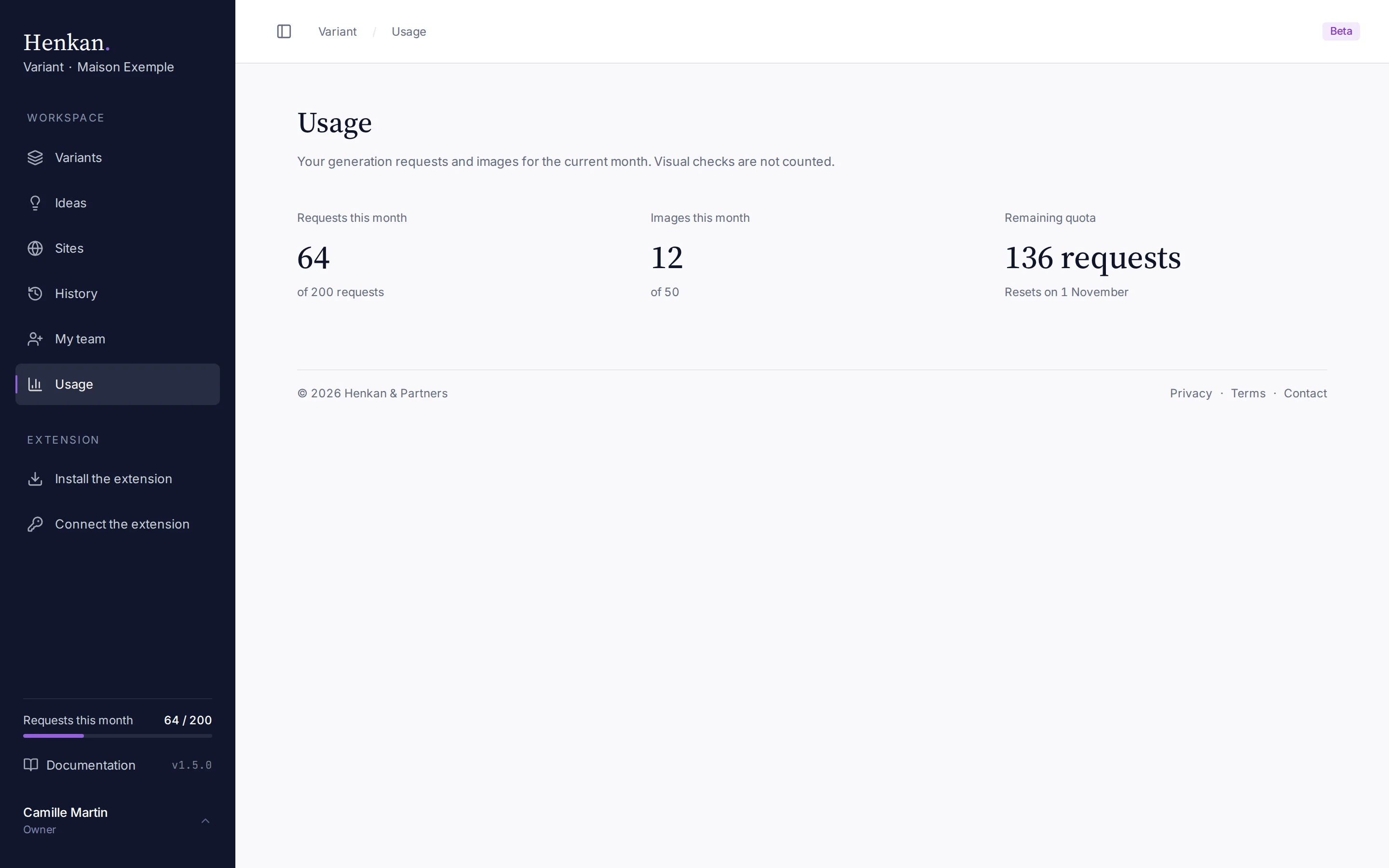
The bottom of the sidebar also shows a gauge of the request quota: "requests this month" on the left and your count on the right, for example "64 / 200". It turns amber from 90% of the quota and is hidden when your workspace has no limit. The image quota is shown on the Usage page only.
What counts#
| Action | Monthly requests | Monthly images |
|---|---|---|
| A request in the side panel (generate a change) | 1 | — |
| An ideas request (Ideas mode) | 1 | — |
| A visual for an idea | — | 1 |
| A design version made in the Studio | — | 1 each (3 with 3 different versions) |
| The automatic second try when a Studio version came back almost unchanged | — | 1 |
| Reading a site added as a Studio reference | Not counted | — |
| A request in the Studio's Build side | 1 each (3 with 3 proposals) | — |
| Reading a site named in a Build request | Not counted | — |
| The visual check of a Build step (and its correction) | Not counted | — |
| An image concept in Build (Image engine) | — | 1 each (3 with 3 proposals) |
| Convert to code of an image concept | 1 | — |
| Quick edits in the Studio (Build, without AI) | Not counted | — |
| A visual check after a change | Not counted | — |
| Idea suggestions and connection tests | Not counted | — |
References are free#
Keeping a component as a reference (extension, Keep an element as a reference) and attaching it with Like… cost nothing: the request it goes with counts as usual. A workspace keeps its most recent 60 references in the Studio list, each with up to 60 KB of cleaned HTML and one picture.
When the quota resets#
Quotas follow calendar months in UTC: they reset at 00:00 UTC on the first day of each month. The Remaining quota figure shows the reset date.
When you reach a limit#
When the request quota is used up, new requests are refused with "Monthly quota reached (… requests). Contact Henkan to increase it." The image quota works the same way for Ideas visuals and Studio versions.
Variants you already made stay available, and you can still export their code. To raise a quota, contact your Henkan consultant.
Other limits#
| Limit | Value |
|---|---|
| Requests per person | 30 per minute ("Too many requests. Please wait a few seconds.") |
| Size of one request, screenshots included | 12 MB ("Request too large.") |
| Web searches per ideas request | 5 |
| Ideas per series | 5 |
| Image sent for an idea visual | PNG, JPEG or WEBP, 8 MB at most |
| References in the Studio | 3 per version; images are reduced to 1,600 px before sending |
| Marks in the Studio | 12 per version |
| Direct edits in the Studio | 40 per send; an image from your computer is reduced to about 400 KB, since it travels inside the code |
| Before/after screenshot synced to the app | 5 MB each |
| Personal token name | 80 characters |
If your workspace has no limit, the Usage page shows Unlimited.